
Artisly.AI Review: What I Use It For (and What to Know Before You Try It)
By DT Unlimited Designs
Why I’m Writing This
I’ve been experimenting with different AI design tools to support creative projects, especially things like coloring pages, mazes, and kid-friendly content. One tool I’ve been using regularly is Artistly.ai , and I wanted to share how I’m using it — not as a tutorial, but as an overview of what it’s been helpful for so far.
This post isn’t meant to teach every feature or walk through every setting. It’s a snapshot of how Artistly.ai fits into my creative workflow, what it does really well, and a few things to be aware of before jumping in.
Think of this as an experience-based overview — not a step-by-step guide.
What Artistly.ai Is (At a High Level)
Artistly.ai is an AI-powered design platform built to support a wide range of creative projects. Instead of focusing on just one use case, it offers multiple tools for creating visual content, printable activities, and story-based designs.
What makes Artistly.ai appealing is the flexibility. You can use it for quick idea generation, structured creative projects, or exploratory design — depending on what you’re working on. You don’t have to use every feature to get value from the platform.
Creative Design Tools
Tools for generating illustrations, coloring pages, puzzles, and other visual assets that work well for digital and printable projects.
Story & Activity Creation
Options for building story-style content, activity books, and kid-friendly materials without starting from a blank page.
Evolving Platform
Many features are actively being developed or released in beta, which means new tools and improvements are added regularly.
👉 “What I Personally Use Artistly.ai For”
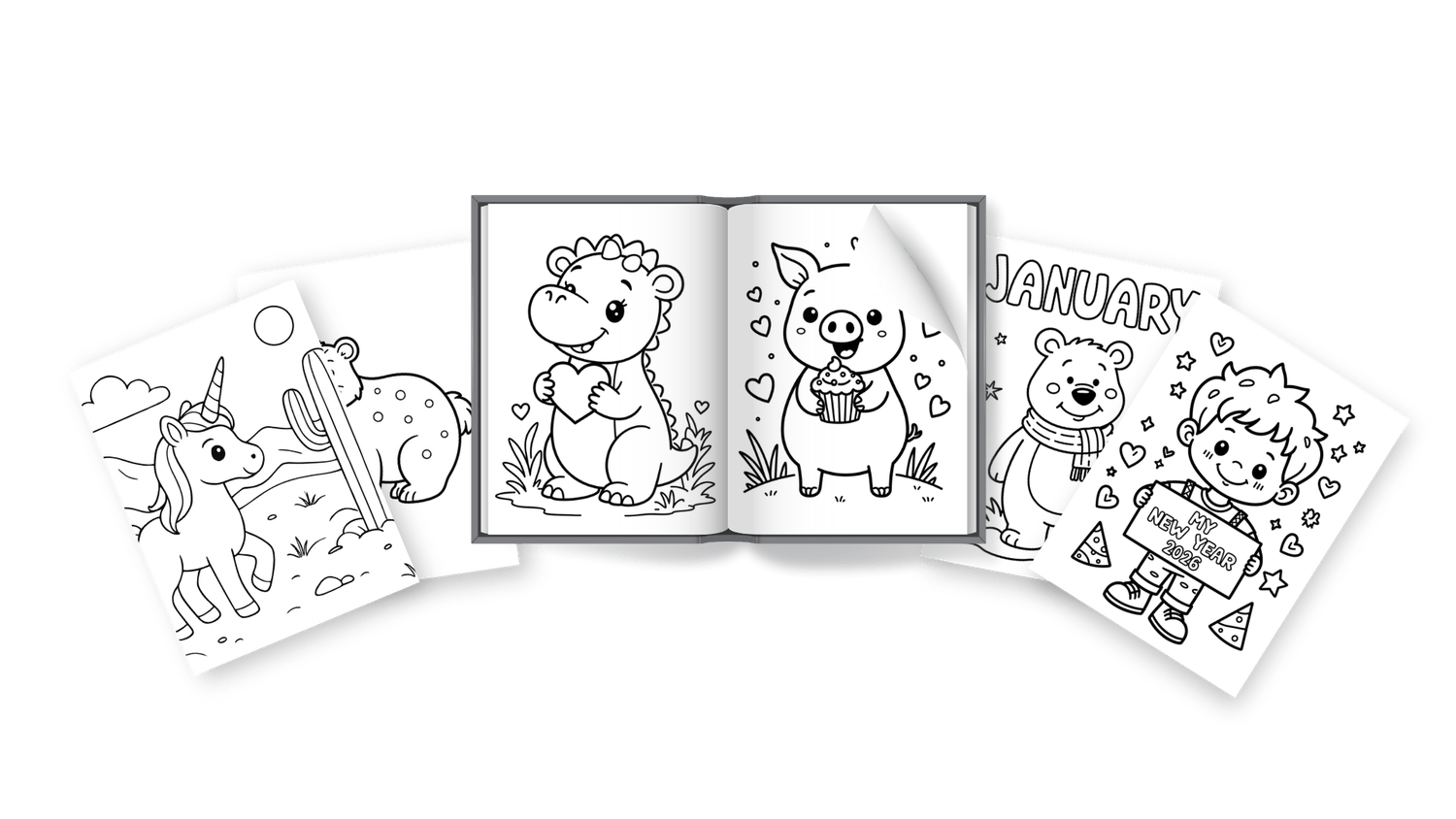
Coloring Pages
One of the main ways I use Artistly.ai is for creating coloring pages.
The coloring page outputs are clean and detailed, which makes them work well for both kid-friendly designs and more detailed, adult-style coloring pages.
I find this especially helpful when I want themed pages or multiple variations without starting from scratch each time.
Mazes & Activity Pages
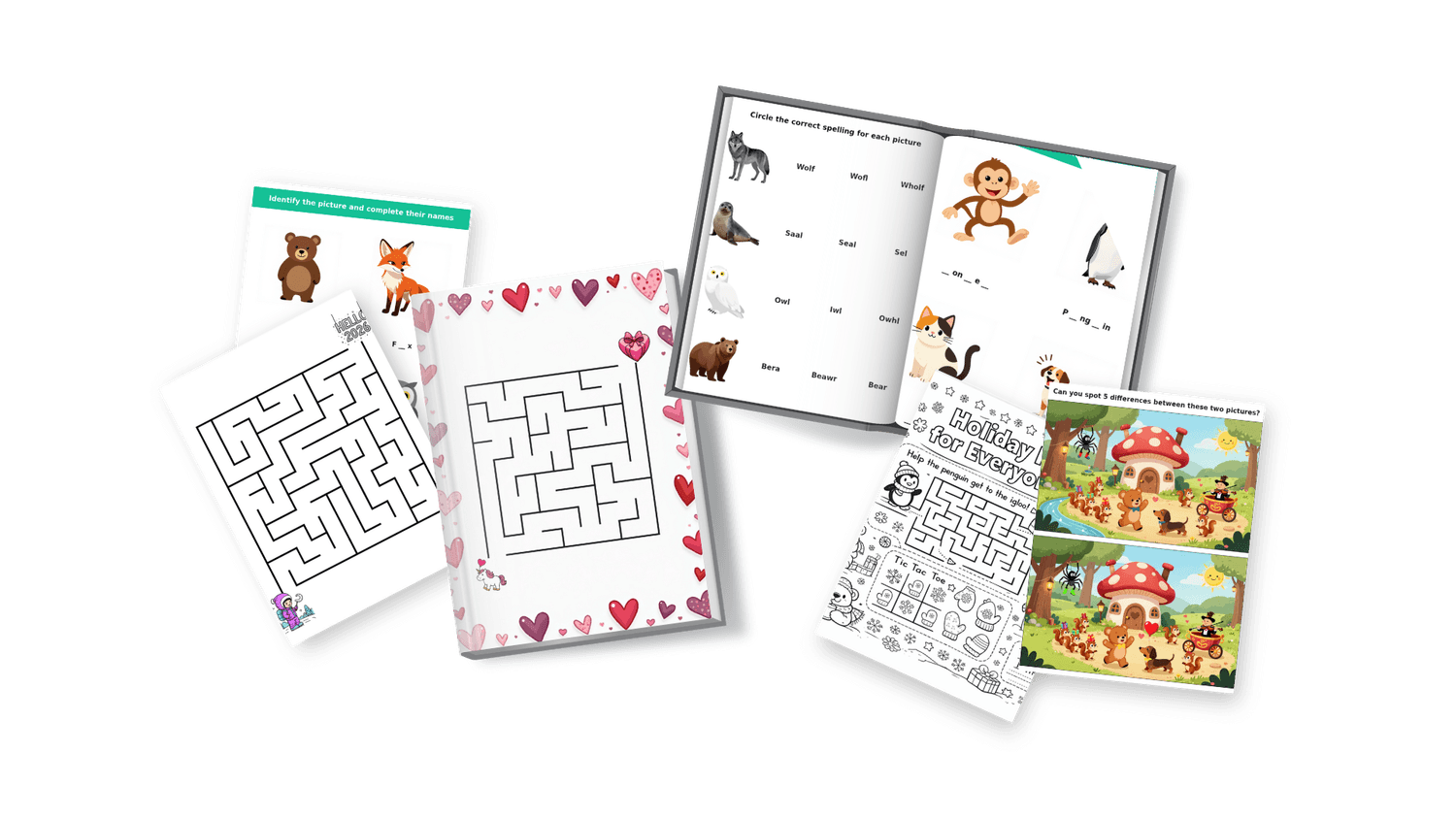
Another area where Artistly.ai has worked well for me is maze and activity-style pages.
These are great for printable worksheets, activity books, and kid-focused creative projects. The maze outputs in particular have been consistent and easy to use.
This makes it a useful option when creating interactive content without needing to manually design puzzles from scratch.
Want to see one of my stories? Click the image below

Honest Pros & Cons of Using Artistly.ai
What Artistly.ai Does Well
- Strong results for coloring pages and maze-style activities
- Wide variety of creative tools in one platform
- Great for printable and digital creative projects
- New features and tools are added regularly
- Beta features give early access to new ideas
Things to Be Aware Of
- Some features are still in beta and may feel inconsistent
- Occasional misspellings in story or text-based outputs
- Consistent characters take time and experimentation
- Flipbooks are currently viewed within Artistly.ai rather than easily embedded on external sites
- The number of tools can feel overwhelming at first
For me, the strengths outweigh the limitations — especially for coloring pages, mazes, and creative experimentation — but it’s helpful to know where flexibility and patience are required.
Watch a Short Overview of My Experience
I recorded a short video to walk through how I’m using Artistly.ai in my own creative projects.
This is not a tutorial or step-by-step walkthrough. It’s simply a behind-the-scenes look at my process, what I focus on, and what’s been most helpful for me so far.
If you’re curious how this fits into a real creative workflow, the video below will give you context without overwhelm.
Affiliate Disclosure
I currently use Artistly.ai for my own creative projects.
If you choose to explore or sign up through my link, I may earn a small commission at no extra cost to you. I only share tools that I personally use and find helpful in my own workflow.
Final Thoughts
Artistly.ai isn’t a one-size-fits-all solution, but it’s been a valuable creative tool for the kinds of projects I enjoy working on — especially coloring pages, mazes, and activity-based designs.
I appreciate that Artistly.ai continues to evolve, even when that means some tools are still in beta or require a bit of patience. For me, the ability to experiment, explore ideas quickly, and adjust as I go has been more valuable than perfection.
If you’re someone who likes to create, test, and refine over time, Artistly.ai may be worth exploring as part of your creative process — especially if you enjoy building things gradually without unnecessary pressure.
Creative momentum often comes from starting simple — and letting your process grow with you.




©2020-2026. DT Unlimited Designs- Create. Transform. Learn. — DT Unlimited Designs